Get 15% off your first online order when you subscribe to email.Terms & conditions apply.
888.354.7868Monday - Friday, 8am - 5pm CT



Brother QL-810Wc Wireless Label Printer
Delivery Estimate
Note: Customize your product details for the most accurate estimate.
Product Overview
The Brother QL-810Wc is a wireless direct thermal label printer that prints up to 110 attendee name labels per minute for fast event check-in. Labels apply to the blank name area of a pre-printed event badge. It works with BadgeStream, pc/nametag's on-site check-in and badge printing software, or your preferred event registration software.
Features
-
Print speed: up to 110 labels per minute at 300 dpi
-
Software: works with BadgeStream, plus the free Brother P-touch Editor
-
Auto cutter: cuts each label cleanly with no manual tearing
-
No ink or ribbons: monochrome direct thermal printing requires no ribbons, ink, or toner
-
Standalone mode: prints without a connected computer
-
Label loading: drop-in rolls that a volunteer can change without training
-
Mobile app: free Apple and Android app for iPhone, iPad, and Android devices
-
Custom label height: set your own label height using clear continuous labels
-
Connectivity: Wi-Fi and USB
Compatible with
Windows operating systems (does not include Surface Pro), MacOS, Android, and iOS (iPads & iPhones). *For optimal Event Tech integration, confirm printer compatibility with your specific software.
Best for
Association conferences, corporate meetings, trade show, higher education events, healthcare conferences, fairs and festivals with heavy check-in.
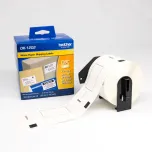
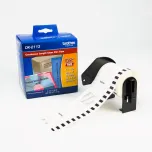
Sold separately: clear continuous or large white Brother labels and standard, premier, or eco event badges.
Support
Complimentary printer technical support comes with product purchase. Contact [email protected] for more information regarding printer-related support.
Specifications
| Item Height | 5-3/4" |
|---|---|
| Item Width | 5" |
| Item Depth | 9" |
| Printer Weight | 5.8 lbs. |
| Imprint Method | Direct Thermal |
| Material | Plastic |
| MacOS Compatible | Yes |
| Windows Compatible | Yes |
| BadgeStream Compatible | Yes |